The Claude vs ChatGPT vs Gemini debate is everywhere, and most answers sound like sports commentary: one assistant “wins”, the rest “lose”. In reality, the three leading AI assistants are now so capable that the better question is not which is best, but which is best for the work you do every day.
This guide skips the hype. We compare the three on the things that matter in practice, then give clear recommendations by job. A quick note before we start: these products change monthly, with new models and features arriving constantly. Everything below reflects the situation in November 2026, so always check each provider’s current plans before you subscribe.
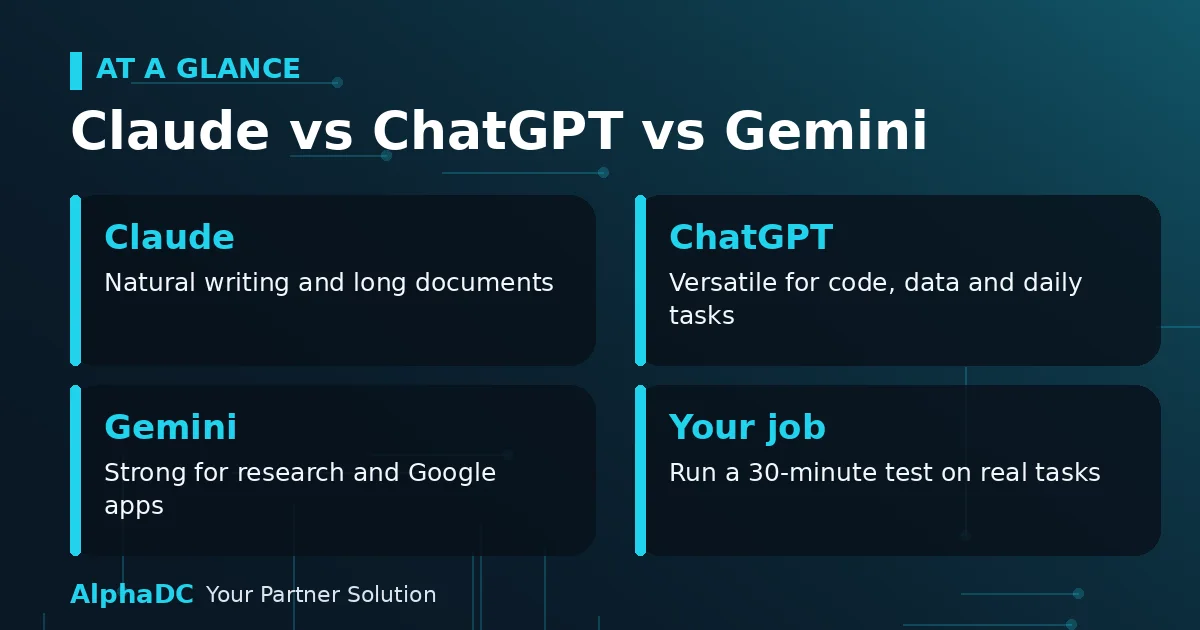
Claude vs ChatGPT vs Gemini: The Quick Answer by Job
If you are in a hurry, this table summarises our recommendations. The sections that follow explain the reasoning.
| Your job | Best first choice | Strong alternative |
|---|---|---|
| Web or software developer | Claude or ChatGPT (both strong) | Gemini for Google Cloud and Android work |
| Writer, editor or content creator | Claude | ChatGPT |
| SEO or digital marketer | ChatGPT | Gemini or Claude |
| Student or researcher | Gemini | Claude |
| Office team on Google Workspace | Gemini | ChatGPT |
| Designer or visual creator | ChatGPT or Gemini | Claude for copy and planning |
| Data analyst | ChatGPT | Claude or Gemini |
| Small business owner or freelancer | ChatGPT | Claude or Gemini |
A Snapshot of Each Assistant
ChatGPT (OpenAI)
ChatGPT remains the most widely used assistant and the broadest all-rounder. It offers a large ecosystem of features, including image generation, voice, file analysis, custom assistants and increasingly agent-style tools that carry out multi-step work such as building slides or running scheduled tasks.
- Strengths: versatility, built-in image generation, a large range of integrations and strong tools for structured work.
- Watch-outs: models and plan limits change often, and the tone of writing can feel more generic without careful prompting.
Claude (Anthropic)
Claude has built a reputation for natural, nuanced writing, careful reasoning and strong work with long documents. For developers, it also offers Claude Code, a coding agent that works inside the terminal and on your projects, and the assistant is expanding into the tools people already use, such as browser and office-suite integrations.
- Strengths: writing quality and tone control, long-document analysis and coding assistance.
- Watch-outs: it is less focused on media generation, such as images and video, than its rivals.
Gemini (Google)
Gemini’s biggest advantage is integration. It lives inside Gmail, Docs, Sheets, Slides, Drive and Meet, and it connects naturally with Google Search for up-to-date answers. It also handles text, images, audio and video in a single conversation and is known for very large context windows, in the range of a million tokens or more.
- Strengths: Google Workspace integration, search-grounded research, multimodal input and generous free access.
- Watch-outs: the advantage shrinks if you do not use Google’s ecosystem, and writing style can feel less polished for some tasks.
How They Compare on What Matters
The following table is a general guide. Individual results vary by task and by the specific model you select, so treat it as a starting point rather than a verdict.
| Area | ChatGPT | Claude | Gemini |
|---|---|---|---|
| Writing and editing | Very good, structured | Excellent, natural tone | Good, fast |
| Coding | Very strong, agentic tools | Very strong, Claude Code | Strong, great with Google stack |
| Research with live web | Strong | Good | Excellent, Search-integrated |
| Long documents | Strong | Excellent | Excellent, very large context |
| Images, voice and video | Broad built-in features | Limited | Broad built-in features |
| Ecosystem and integrations | Largest third-party ecosystem | Growing connectors | Deepest Google integration |
On price, all three offer a free tier and a paid personal plan at roughly US$20 per month, with more expensive tiers for heavy users and teams. Gemini’s paid plan is typically bundled with extra Google storage, while the others focus on higher usage limits and advanced models. Prices and limits change frequently, so confirm them on the official pricing pages.
Which AI Should You Choose for Your Job?
Web Developers and Software Engineers
This is a close race. Claude and ChatGPT are both excellent for writing, debugging and refactoring code, and both offer agentic coding tools that can work across a whole project. Many developers keep both and use the one that handles a given problem better. Choose Gemini if your stack revolves around Google Cloud, Firebase or Android. If you build WordPress sites, our guide on how to create a custom plugin for WordPress makes a great practice project: give each assistant the same brief and compare the code you receive.
Writers, Editors and Content Creators
Claude is frequently preferred for drafting and editing because its prose tends to sound natural and it follows tone instructions closely. ChatGPT is a strong partner for brainstorming, outlines and structured content, and its image tools help with visuals. Whichever you use, edit heavily and fact-check, because every assistant can state errors confidently.
SEO Specialists and Digital Marketers
ChatGPT’s broad toolset suits the varied nature of marketing work, from strategy and keyword clustering to ad copy and reporting. Gemini is a smart choice if your data lives in Google Sheets, Search Console and Analytics, while Claude works well for long-form content and for analysing large exports.
Students and Researchers
Gemini is hard to beat on value, thanks to its generous free access, search integration and ability to digest large sets of sources. Claude is a strong option for reading dense papers and getting careful explanations. Always verify citations, since AI can invent references that look real.
Office Teams and Google Workspace Users
If your company runs on Gmail, Docs and Sheets, Gemini fits naturally, because it works where your files already live. Companies that rely on Microsoft 365 may also want to evaluate Microsoft Copilot. ChatGPT is a solid choice for mixed environments.
Designers and Visual Creators
ChatGPT and Gemini both generate and edit images, and Gemini adds strong video and audio understanding. Claude is useful as a creative partner for concepts, copy and design briefs, but it is not the main choice if image generation is your daily need.
Data Analysts
ChatGPT’s data analysis tools make it convenient for exploring spreadsheets and producing charts. Claude is excellent at explaining findings and reviewing code, and Gemini is attractive when your data sits in Google Sheets or BigQuery. Check any calculation independently before you present it.
Small Business Owners and Freelancers
A broad, easy-to-use assistant matters most when you wear many hats. ChatGPT is often the simplest starting point, covering emails, proposals, social posts and basic analysis. Add a second assistant later if you find a gap, such as long-form writing or Google integration.
Should You Pay for More Than One?
For most people, one paid plan is enough. Start by using the free tiers of all three for a few weeks, then upgrade the one you open most often. Professionals whose income depends on AI output, such as developers and content agencies, often justify a second subscription because each tool has distinct strengths. Remember that you can always cancel and switch, since there is no long-term lock-in.
A Simple 30-Minute Test
The best comparison is your own. Take three real tasks from your job and run them through each assistant:
- Choose three tasks you do regularly, such as drafting a client email, fixing a bug and summarising a long document.
- Give each assistant exactly the same prompt and the same files.
- Score each result for accuracy, clarity, tone and how much editing it needs.
- Note how each tool handles follow-up questions and corrections.
- Pick the one that saves you the most time, not the one with the best marketing.
Privacy and Data: What to Check
Whichever assistant you choose, review its privacy settings before you share anything sensitive. Check whether your conversations may be used to improve the models, whether business plans offer stronger data protections and how to delete your history. Never paste passwords, API keys or confidential client data into a consumer chatbot.
Frequently Asked Questions
Which is better overall: Claude, ChatGPT or Gemini?
There is no universal winner. ChatGPT is the broadest all-rounder, Claude is often preferred for writing and coding, and Gemini leads on Google integration and value. The best choice depends on your job.
Which AI has the best free plan?
Gemini is commonly regarded as the most generous, particularly if you already use a Google account. All three offer capable free tiers, but limits change often, so test them for your own workload.
Can I use more than one AI assistant?
Yes, and many professionals do. A common pattern is to use one assistant as the main workhorse and another for tasks where it is clearly stronger, such as Google-based research or long-form editing.
Do all three make mistakes?
Yes. Every large language model can produce confident but incorrect statements. Treat the output as a strong first draft, verify facts and numbers and keep a human in the loop for anything important.
Final Thoughts
The honest answer to the Claude vs ChatGPT vs Gemini question is that the right pick depends on your work, not on a leaderboard. Developers and writers often lean toward Claude or ChatGPT, Google Workspace teams benefit most from Gemini and generalists tend to start with ChatGPT. Try each on real tasks, keep what works and revisit your choice every few months as the tools evolve. If you would like help using AI in your website workflow, you are welcome to connect with the author, Irwan Sudarsin Salim, on LinkedIn.