In web development, you’ll often hear the term slugify—especially when working with blogs, CMS platforms, or SEO optimization. But what is slugify exactly, and why is it important?
In this article, we’ll break down the meaning of slugify, its role in website URLs, and how it helps improve both user experience and search engine optimization.
What Does “Slugify” Mean?
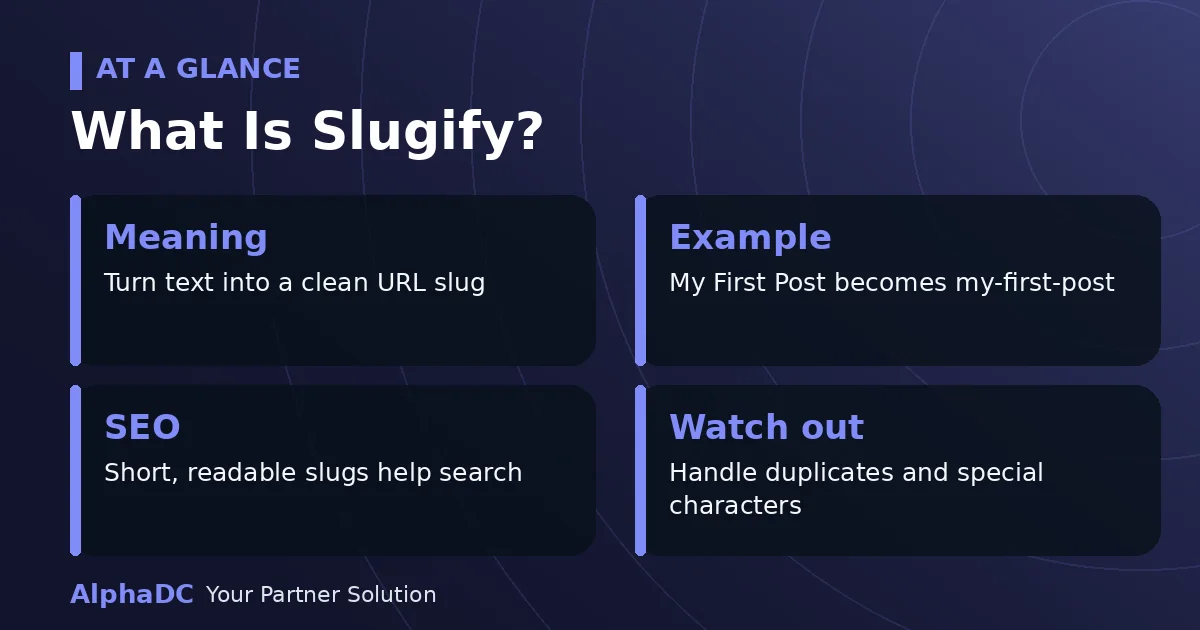
Slugify is the process of converting a string (like a page title) into a clean, URL-friendly format known as a slug.
For example:
- Original title:
How to Install Visual Studio Code with Winget! - Slugified version:
how-to-install-visual-studio-code-with-winget
The goal is to remove special characters, spaces, and uppercase letters while keeping the URL readable and SEO-friendly.
Why is Slugify Important?
- Improves SEO – Search engines prefer clean, keyword-rich URLs without unnecessary symbols or numbers.
- Enhances User Experience – A simple, readable URL is easier for users to remember and share.
- Prevents Errors – Special characters in URLs can cause technical issues if not properly encoded.
Common Slugify Rules
When slugifying a string, most tools follow these rules:
- Convert all letters to lowercase.
- Replace spaces with hyphens (
-). - Remove special characters (
! @ # $ % ^ & *). - Remove extra hyphens from the start or end.
Example transformation:
"Best Laptops for Students!" → "best-laptops-for-students"
How to Slugify in Programming
Many programming languages and frameworks have built-in or third-party libraries for slugification:
- JavaScript:
import slugify from 'slugify'; const slug = slugify('Hello World!', { lower: true }); console.log(slug); // "hello-world" - Python:
from slugify import slugify print(slugify("Hello World!")) # "hello-world" - PHP (Laravel):
use Illuminate\Support\Str; echo Str::slug('Hello World!'); // "hello-world"
Slugify in Popular CMS Platforms
- WordPress – Automatically slugifies post titles for permalinks.
- DjangoCMS – Uses slug fields to generate page URLs.
- Ghost – Converts article titles into clean slugs by default.
Conclusion
Understanding what is slugify is essential for web developers, bloggers, and SEO specialists. By creating clean, descriptive URLs, you improve your site’s search engine rankings, make links easier to read, and ensure a smoother user experience.
What Is Slugify? Quick Definition and Examples
Slugify means converting a piece of text into a slug, which is a simple string that is safe to use in a web address. It lowercases the text, replaces spaces with hyphens, and removes characters that are not allowed or not helpful.
| Original text | Slug |
| How to Bake Chocolate Cake! | how-to-bake-chocolate-cake |
| 10 Tips & Tricks for SEO | 10-tips-tricks-for-seo |
| Café Menu: Crème Brûlée | cafe-menu-creme-brulee |
| Extra spaces here | extra-spaces-here |
A Simple Slugify Function in Python
import re
import unicodedata

def slugify(text):
    # Convert accented characters to their closest ASCII form
    text = unicodedata.normalize('NFKD', text).encode('ascii', 'ignore').decode('ascii')
    text = text.lower()
    # Replace anything that is not a letter or number with a hyphen
    text = re.sub(r'[^a-z0-9]+', '-', text)
    return text.strip('-')

print(slugify('Café Menu: Crème Brûlée'))  # cafe-menu-creme-brulee
Slug Best Practices for SEO
- Keep it short and descriptive. A few meaningful words are easier to read, share, and remember than a long sentence.
- Include the main topic. A slug that describes the page helps both visitors and search engines.
- Use hyphens, not underscores. Search engines treat hyphens as word separators.
- Avoid dates and unnecessary words that make the address look old or too long.
- Do not change slugs casually. If you must change one, set up a 301 redirect from the old address to the new one.
Handle Duplicate Slugs and Special Characters
Two posts can have the same title, which would produce the same slug. Most systems solve this by adding a number, such as my-post and my-post-2. Non-Latin languages need extra care. Some systems transliterate the text into Latin letters, while others keep the original characters in the address. Choose one approach, test it, and keep it consistent across your website.
Slugs in WordPress
In WordPress, the slug is the last part of a post or page address, and you can edit it in the block editor under the permalink settings. The Permalinks screen under Settings lets you choose the structure for the whole site. A simple structure that uses the post name is a popular choice. For a quick conversion of text outside WordPress, you can use a text converter, which also helps with changing the case of text.
Frequently Asked Questions
Does the slug affect rankings?
A clear slug helps users and search engines understand the page, but it is a small factor. Quality content and a good page experience matter far more.
Should I remove stop words from slugs?
Short words such as a, the, and of can often be removed to shorten the address, but keep them if removing them changes the meaning.
Slugify in JavaScript
If you work with JavaScript, you can create the same result with a short function.
function slugify(text) {
  return text
    .normalize('NFKD')
    .replace(/[\u0300-\u036f]/g, '')
    .toLowerCase()
    .replace(/[^a-z0-9]+/g, '-')
    .replace(/^-+|-+$/g, '');
}

console.log(slugify('How to Bake Chocolate Cake!')); // how-to-bake-chocolate-cake
When to Use a Slug Generator Instead of Code
If you only need a few slugs, writing code is unnecessary. An online text tool can convert titles quickly, and you can paste the result directly into your content system. For repeated work, such as importing hundreds of articles, a short script is faster and keeps the format consistent. Choose the method that matches the size of the job, and always read the final slugs once before you publish them.
You can also combine slugs with redirects. When you rename a page, keep the old address working by sending visitors to the new one, so that search engines and readers do not land on an error page.
Need Help with Web Development?
If you’re looking to build a fast, SEO-friendly, and user-focused website, I offer professional web development services tailored to your needs. From creating modern designs to integrating AI-powered tools and optimizing for search engines, I can help your business stand out online. Contact me today to start your project and bring your website vision to life!